Solutions / Customer support
Support calls answered from your help centre and your systems.
Give the agent your help articles and let it look up orders. It answers what it can and passes the rest to your team, with a summary so nobody starts from scratch.
Inbound call
+61 3 7010 5588
Agent: Thanks for calling Northside Supplies support. What can I help with?
Caller: I'm checking on order 48213.
- Order 48213 looked up
Agent: That order was sent yesterday and is due on Thursday. Anything else?
Caller: No, that's all, thanks.
Agent: You're welcome. Have a good day.
Illustration of an example call.
What the agent does
The job, step by step.
- Typical setup
- Set up as
- A written brief
- Can do
- Look up orders, transfer to support
- Knows about
- Help articles, returns policy
- Keeps
- Everything except personal details
- 01
Answer from your help centre
Add your help articles, PDFs and notes. The agent answers from them.
- 02
Look things up
Checks order status, account details or bookings in your own systems.
- 03
Pass on with context
Harder calls go to your team with a short summary of what has been said.
- 04
See what is working
Reports show call outcomes and how callers felt, for every agent.
After the call
Every call, summed up.
When the call ends you get a short summary, how the caller felt, whether the call did its job, and the details you asked for, ready to send to your other systems.
Call summary
Summary
Caller checked the status of order 48213. Sent yesterday, due Thursday. No follow-up needed.
Details captured
- Order48213
- ReasonOrder status
- Passed to teamNo
In the dashboard
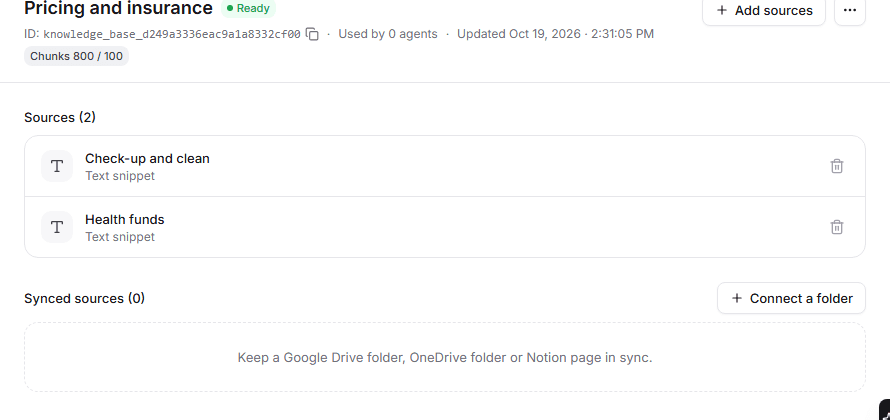
Set up in the Tried dashboard.
Questions
Something missing? Email hello@tried.com.au.
Can it read customer details from my systems?
Yes, if your system can be reached online. You choose exactly what it can look up.What about personal information?
For each agent, choose to keep everything, keep everything except personal details, or keep only basic call information.Does it work for chat too?
Yes. Tried also runs chat agents, including a chat widget for your website.
Other use cases
- AI receptionistAnswers every call, handles common questions and puts callers through or takes a message.
- Appointment bookingBooks, moves and cancels appointments in your calendar while the caller is on the line.
- Lead qualificationCalls new leads within minutes, asks your questions and puts the good ones through to sales.
- Outbound callingCalls your list for reminders, follow-ups and surveys, during the hours you choose.

Have you Tried it yet?
Create an account, pick a template and talk to your new receptionist in the browser. You only pay for the minutes you use.